Free resume builder: make a resume online
Pick a design, fill in your details and watch your resume take shape as you type. When it looks right, download a PDF that is ready to send. Nothing to install, in English or Hebrew, and everything is saved in your account.
- 15 templates by profession, 8 modern designs
- Live preview while you edit
- English and Hebrew in the same editor
- AI help with wording and a job match check
- Free PDF download
In short: what the builder does and who it is for
The DeskKit resume builder is an online editor where you build a resume in English or Hebrew from 15 templates and 8 designs, and download it as a PDF. It suits job seekers, students and people looking for a first job, and it is free with a free DeskKit account.
Good to know: the free PDF carries a small "Made with DeskKit" label at the bottom, the download is PDF only (there is no Word download), and each AI tool (summary rewording, importing an existing resume and the job match check) has 3 free uses.
Everything you need to write a good resume, in one place
A good resume is clear content first. The editor takes care of the design, the order and the layout, so you can focus on what you write.
15 templates and 8 designs
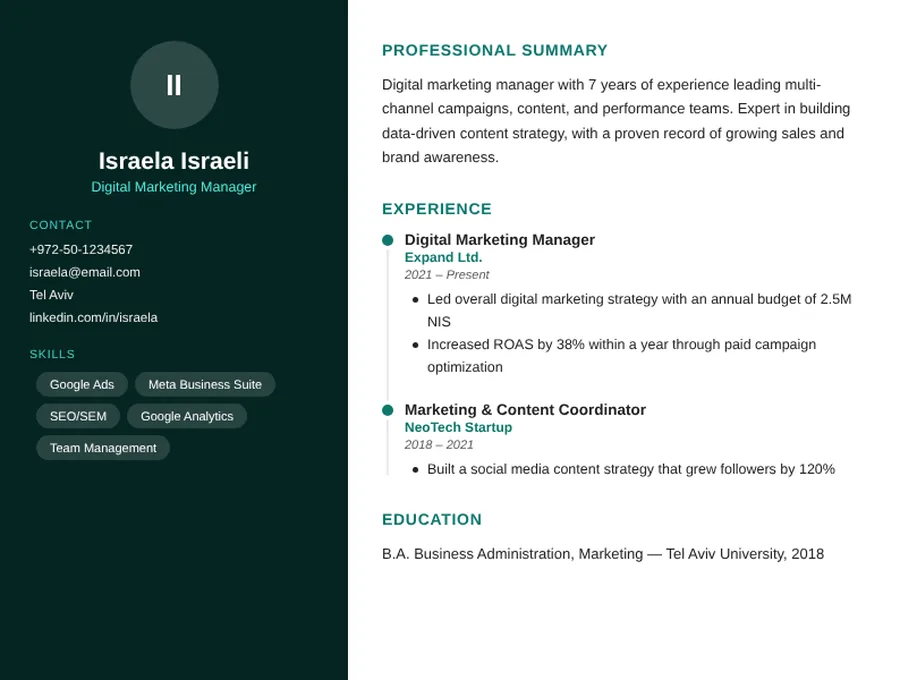
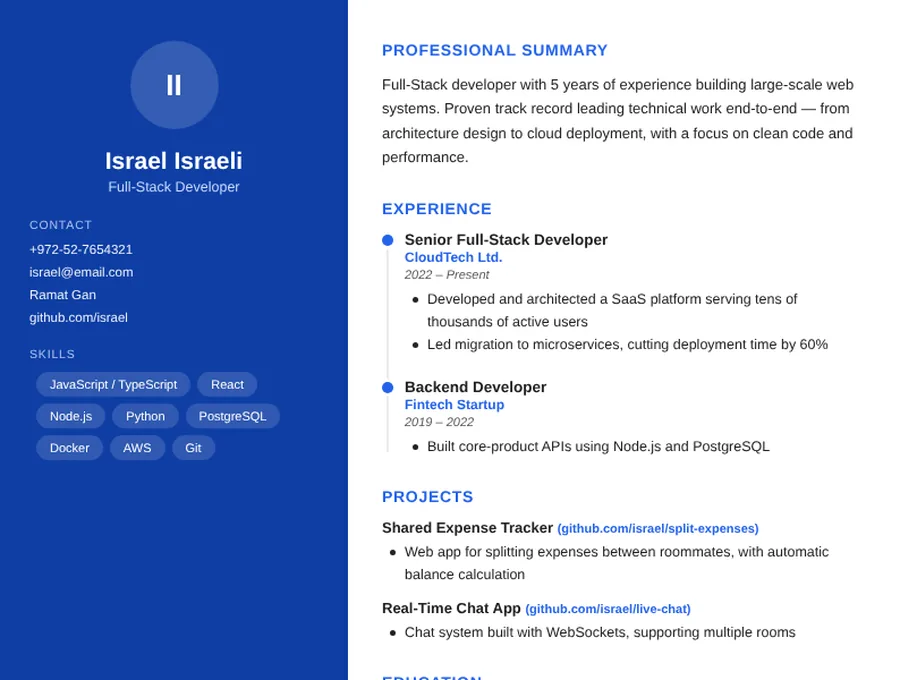
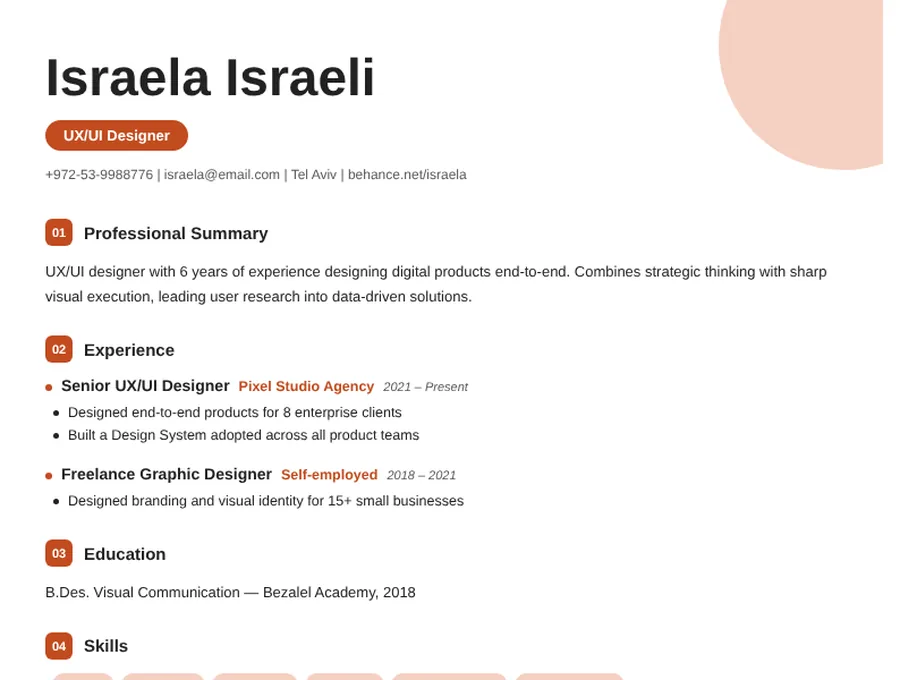
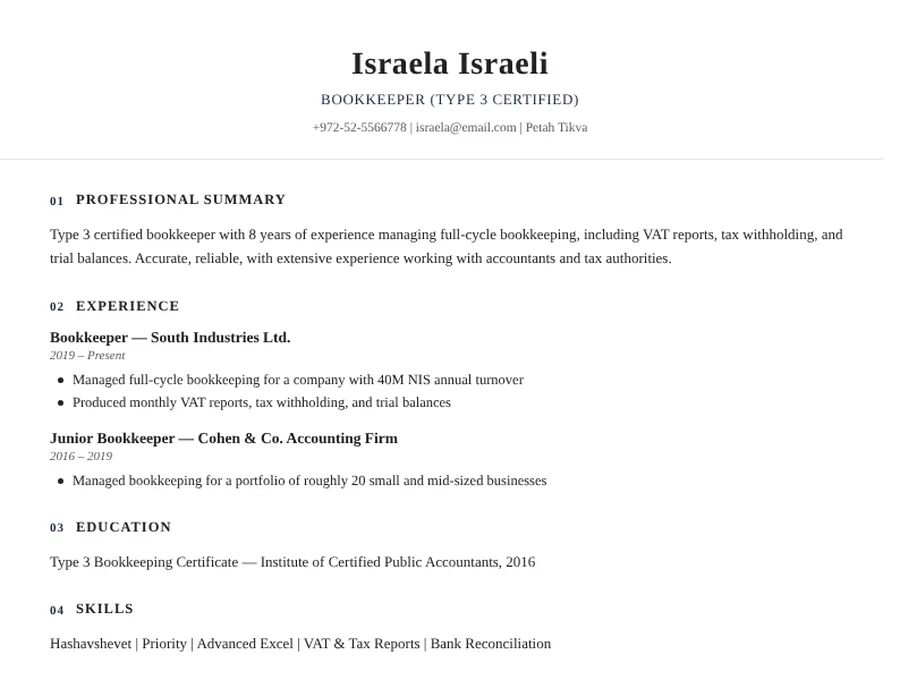
Templates by profession (tech, design, accounting, sales, customer service and more), and 8 designs to choose from: sidebar, bold, minimal, colour band, soft side column, modern grid, cards, and a compact single column that resume screening systems read easily. Switch designs at any point and your content stays.
Live preview while you edit
Every change shows on the page right away. You see exactly how the PDF will look, line breaks and spacing included, before you download.
English and Hebrew
Every template works in both languages, left to right and right to left, so you can keep an English and a Hebrew version side by side.
Better wording with AI
Write a professional summary in a few words and click "Improve with AI" for clearer, more professional wording. 3 free tries.
Job match check (ATS)
Paste a job ad and get a match score, the keywords you are missing and tips on wording. 3 free checks.
Import an existing resume
Upload a Word file or text, or paste the text, and the sections fill in by themselves. 3 free imports.
How to make a resume online, step by step
- Open the builder and pick a field and a design. You can also skip and start from the default design.
- Fill in your personal details, summary, experience, education and skills. Have an old resume? Import it from a Word file or text.
- Polish the wording: "Improve with AI" for the summary, and an ATS check against the ad of the job you are applying for.
- Pick a colour and a language, click "Download PDF" and send the file. Your resume stays in your account for the next update.
Examples by profession
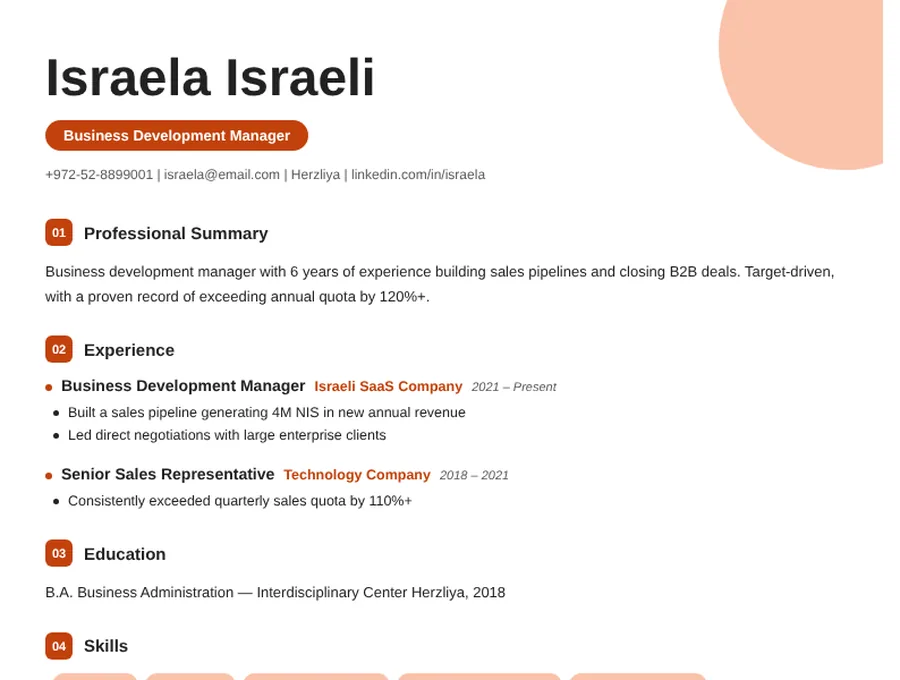
Every template opens with sample content for its field, so it is clear what goes in each section.
How much it costs
Building your resume and downloading the PDF are free, with no subscription and no credit card. Every free PDF has a small "Made with DeskKit" label at the bottom. Want it without the label? A one-time payment of 29 ₪ removes it from every resume in your account, now and later. The AI tools (wording, ATS check and import) have 3 free tries each, and after that you simply keep working by hand.
Resume builder: frequently asked questions
Is the resume builder really free?
Yes. You build, edit and download a PDF without paying and without a subscription. The PDF has a small "Made with DeskKit" label at the bottom. If you want it without the label, you pay 29 ₪ once and the label comes off every resume in your account.
Where can I make a resume for free online?
Right here, in the DeskKit builder: sign in with a free account, pick a template, fill in your details and download a PDF without paying. The editor works in the browser, on a computer or a phone, with nothing to install.
Is there an AI that writes my resume for me?
Not from scratch. You write the details yourself, and the AI helps in three places: "Improve with AI" rewords your professional summary, the import fills in the sections from an existing resume, and the match check compares your resume with a job ad. Each has 3 free uses.
Can I download my resume as a Word file?
No. The download is a PDF, which keeps the design exactly as it is on any computer or phone. If you have an existing resume in Word (.docx), you can import it into the editor and make your next changes in DeskKit.
How do I save my resume as a PDF?
Click "Download PDF" at the top of the editor and the file downloads straight to your device. What you see in the live preview is what ends up in the file, line breaks and spacing included.
How do I write a resume for a first job?
Put what you already have at the top: education, projects, volunteering and any service, and add a short summary of what you are looking for. The junior resume template is built for exactly this.
Can I write my resume in Hebrew too?
Yes. Every template works in English (left to right) and in Hebrew (right to left), and you switch languages with one click in the editor. It is worth keeping both versions and sending each job the language it asks for.
How do I check whether my resume fits a job?
With the match check (ATS) in the editor: paste the job ad and get a match score, the keywords from the ad that are missing from your resume, and tips on wording. This matters because many companies screen resumes with software before a person reads them. There are 3 free checks.
I already have a resume in Word. Do I have to type it all again?
No. Upload a Word file (.docx) or text, or just paste the text, and the editor fills in the sections for you. Then check it, fix what is needed and pick a design. There are 3 free imports.
Where is my resume saved?
In your DeskKit account. You can come back to it from any device, update it and download a new version whenever you like, and keep several versions for different roles.